PassionBits · Design exercise
Redesigning PassionBits' invoicing so a long, tax-heavy form fits on a phone
Invoicing on PassionBits was built for a desktop browser. The brief was to bring it to the phone, for freelancers who charge GST and bill the same few clients every month.
Overview — Bringing a desktop invoicing feature to the phone
A desktop invoice is something you fill in, field by field. On a phone there's room for one thing at a time, so this version assembles the invoice out of what's already in your profile.
The prototype is live, with the reasoning attached to each screen.
Solution — Four sections, one open at a time
So the proposal is single-page disclosure. Invoice details, billing details, items and services, taxes and adjustments, with one open and the rest collapsed.
Finishing a section collapses it to a line you can read back and opens the next. The top bar counts how many of the four are done, and the total stays pinned to the bottom.
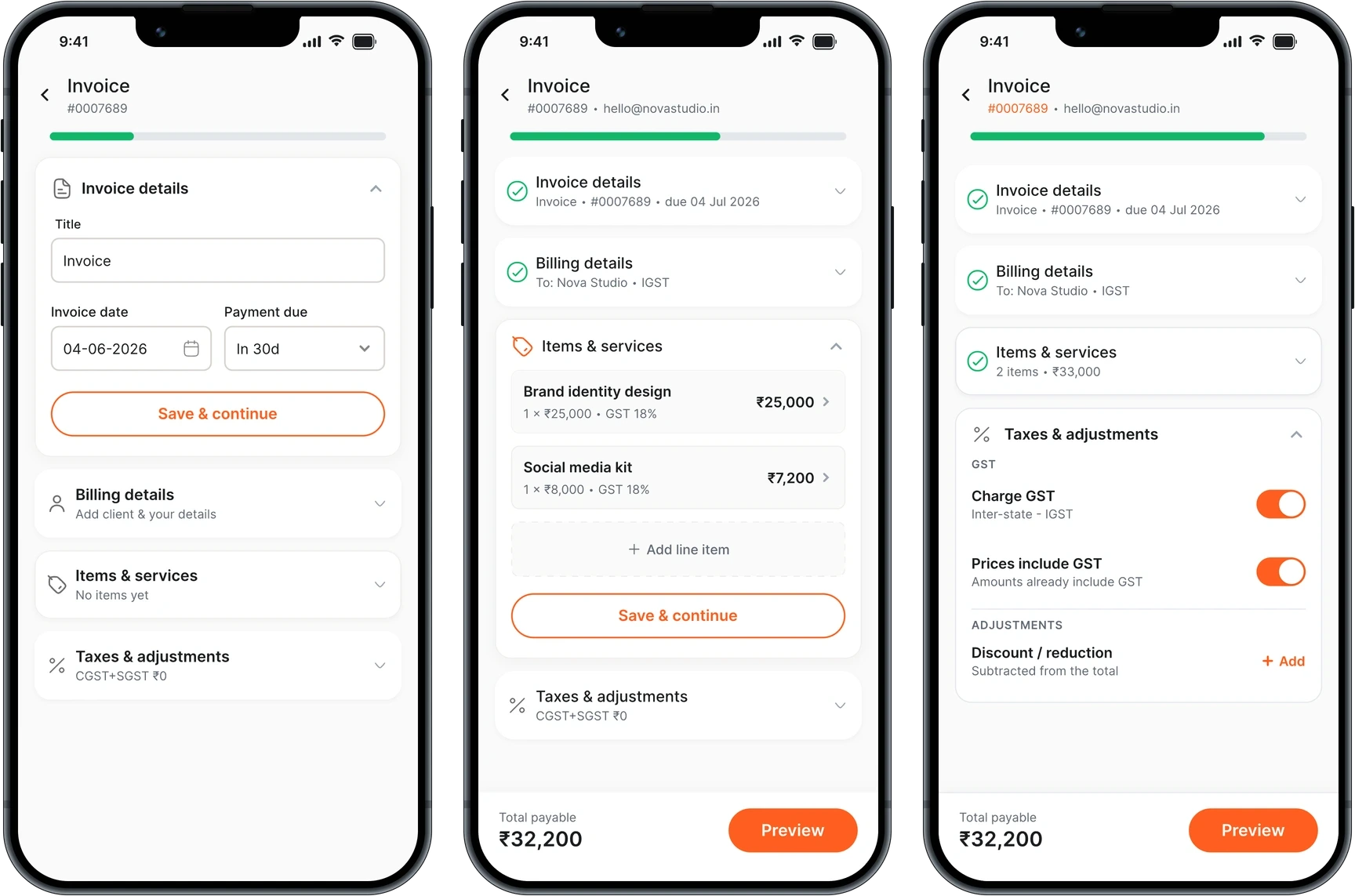
Each finished section collapses to a summary line, and the progress bar counts them off.
Exploring Navigation Patterns — Comparing four ways to structure the form
I prototyped four before settling on this one. Each of the other three gives up something the invoice needs.
Single-scroll canvas
Whole invoice on one scroll. Fewest taps, and no signal for what's missing.
Step-by-step wizard
Four steps behind a progress bar. Least per screen, and the invoice stays hidden until the end.
Hub and spoke
Section cards opening sub-screens. Completion is obvious and it stops feeling like one document.
The accordion keeps both. It shows what the four sections are and which are done, the way a task list does, while the invoice stays one page.
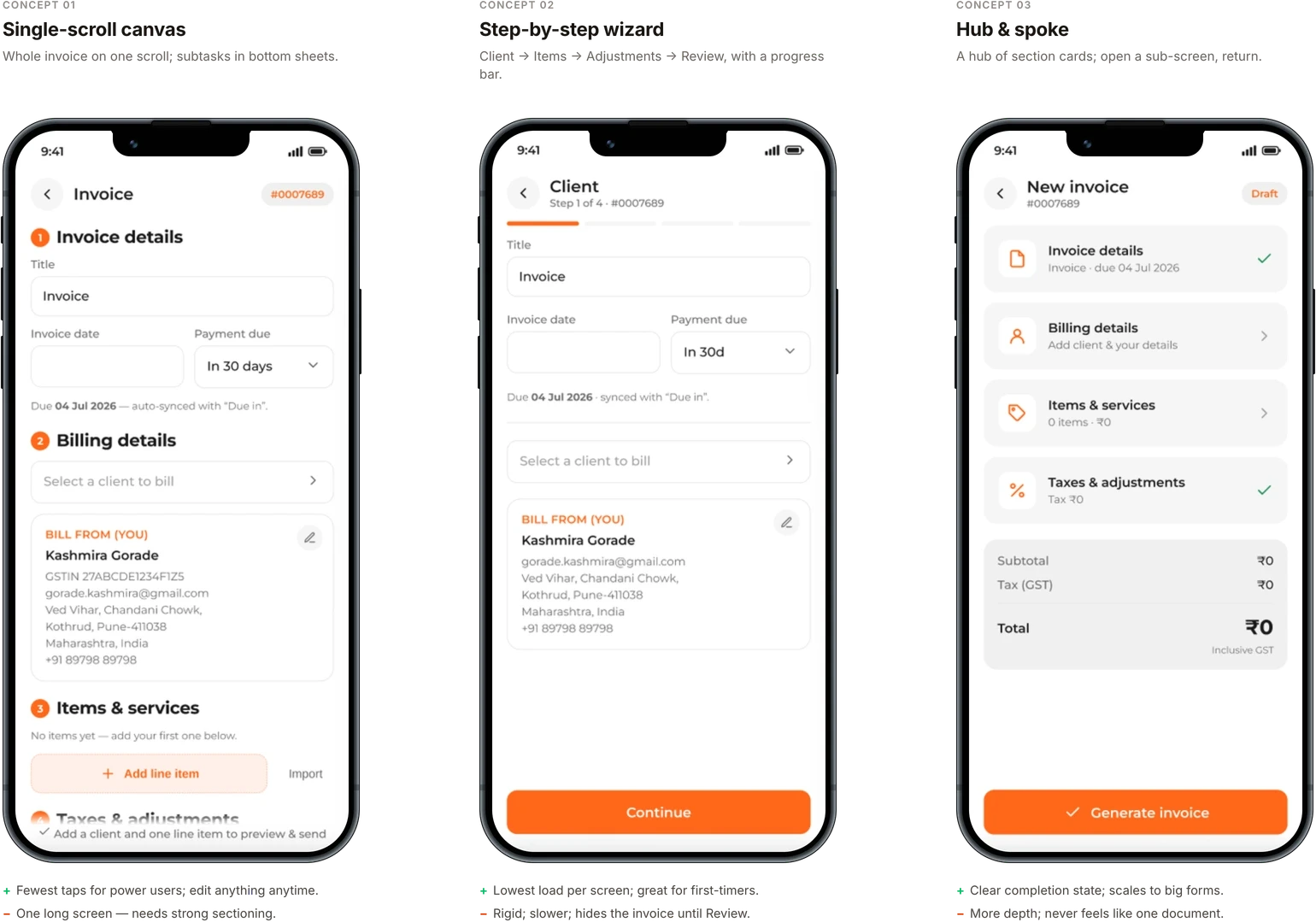
Each concept carries its own note on what it wins and what it costs.
Core Flows — Assembling an invoice from saved clients and services
Your details, your clients and your services live in the profile. Bill From is filled before you start, picking a saved client fills their side, and line items come from saved services.
Only the price is set per invoice, so the catalogue stays reusable.
Imported items arrive unpriced, and Preview stays locked until every line has a number.
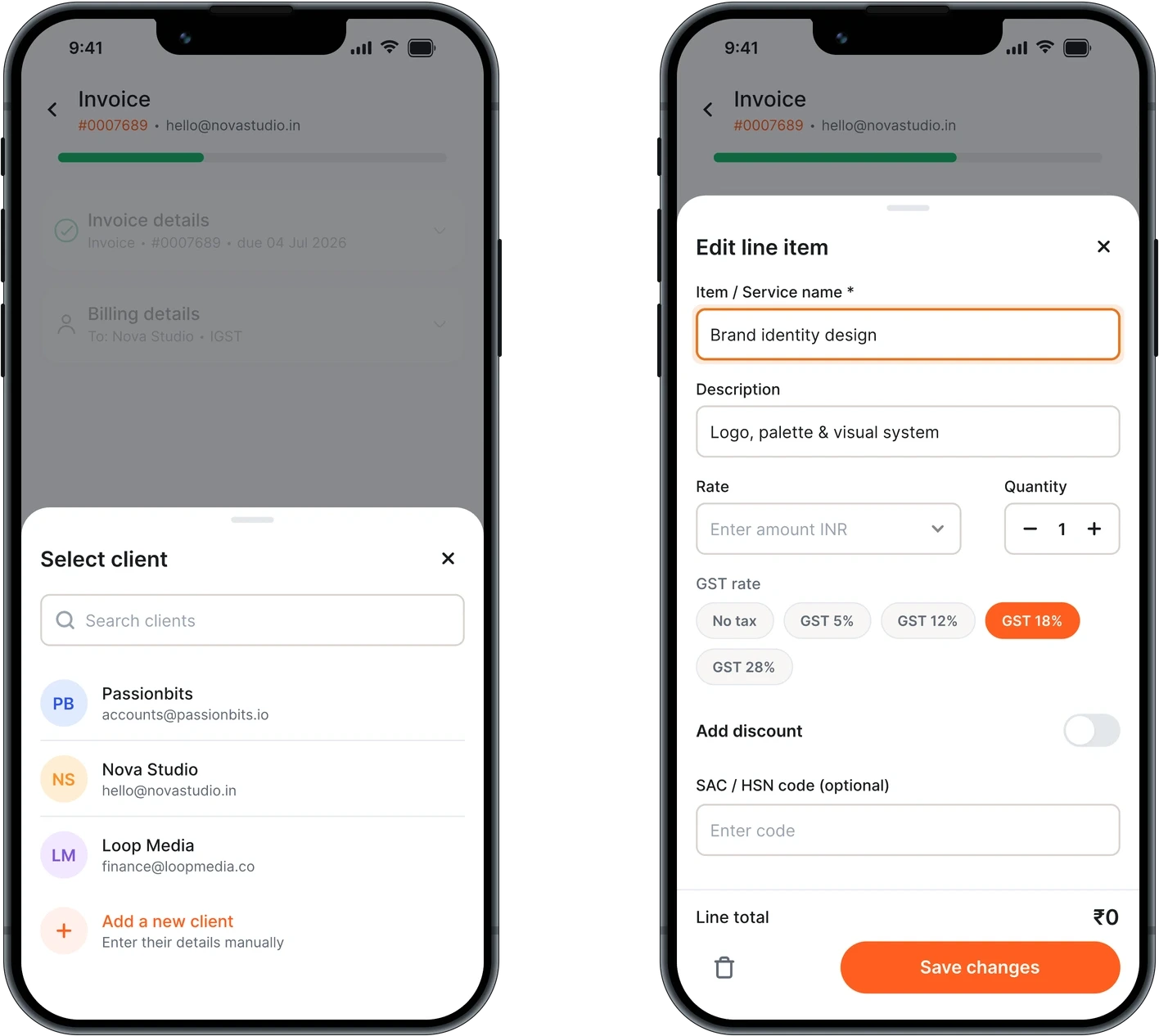
Clients and services come out of the profile. Only the price is set per invoice.
Setting a Price — Showing what you charged this client before
A freelancer rarely charges everyone the same. Rates get grandfathered for old clients and tested higher on new ones, so one service carries several prices at once.
A single stored rate can't hold that, so the field shows history. Focus the Rate and your past prices for this service appear, tagged with the client and when.
Twenty-five thousand for Nova Studio last week, twenty-two for Loop Media in March. Charging this client the same takes one tap, and charging more starts from a number you can see.
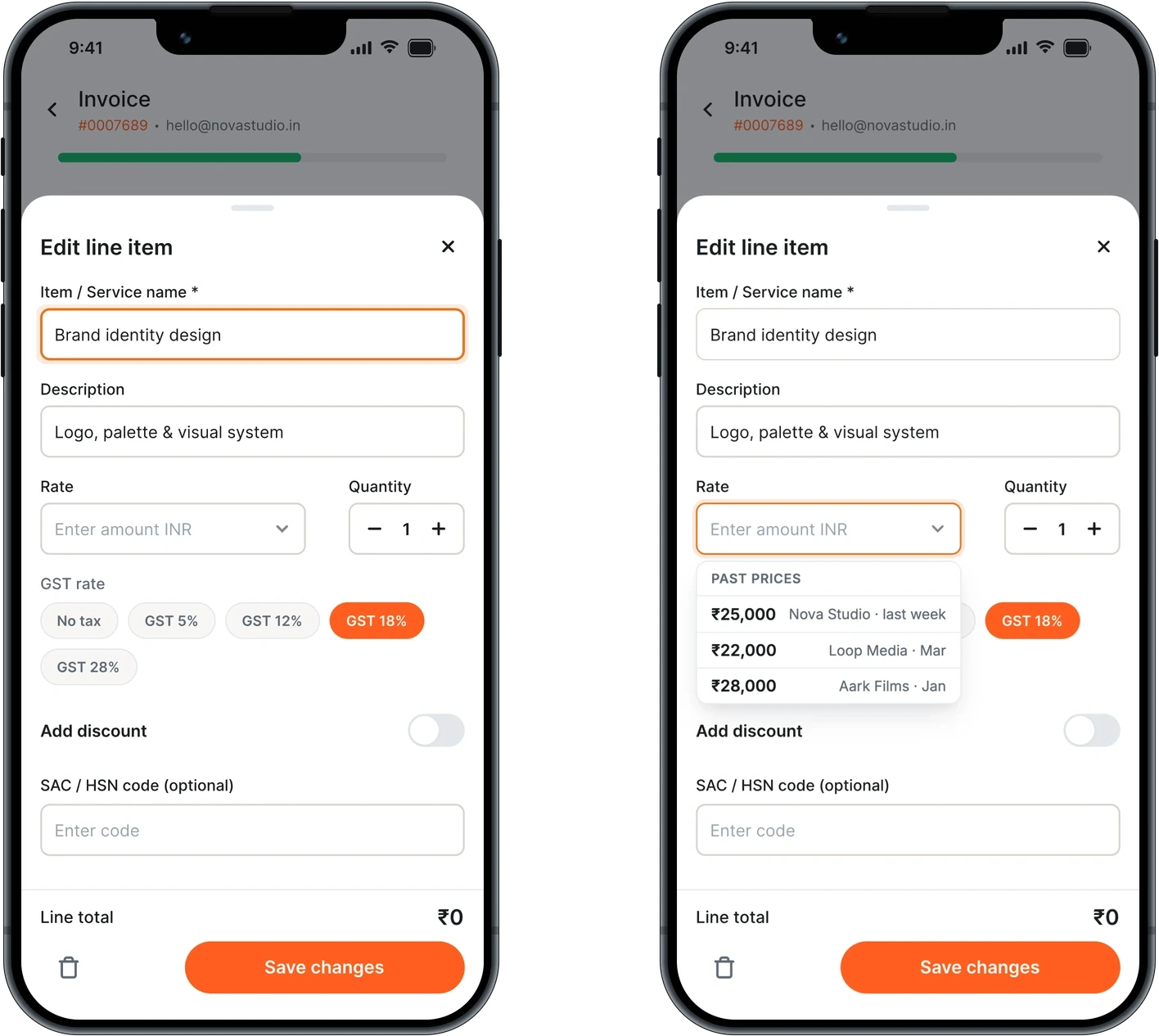
Focusing the Rate field brings up past prices for the same service, tagged by client and date.
Designing for Indian Tax Rules — GST that follows the client, and TDS by section
Whether you charge IGST or CGST plus SGST depends on the client's state. Picking a client in Karnataka against a profile in Maharashtra switches the invoice to IGST automatically.
TDS is offered by section code. 194J for professional fees, 194C for contract work, 194O for platform payouts.
The rest is two toggles, so charging plain 18% takes no thought.
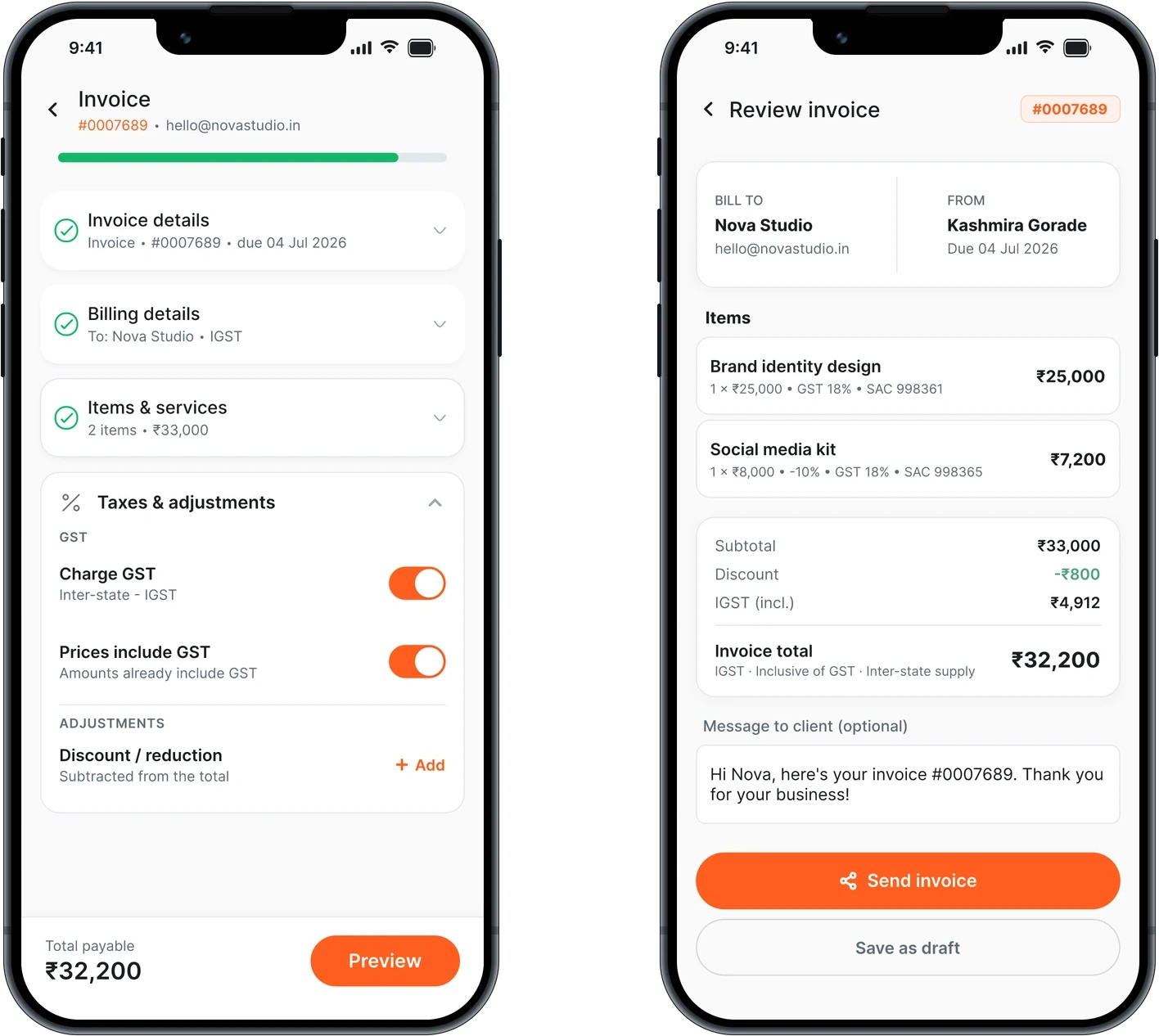
The GST split is already decided by the client. TDS is picked by section code.
Getting Paid — Leading with WhatsApp
The send screen leads with WhatsApp, because that's where an Indian freelancer's client already is. Email sits beside it, with a payment link and PDF either way.
After it goes, the invoice keeps a status and a dated history.
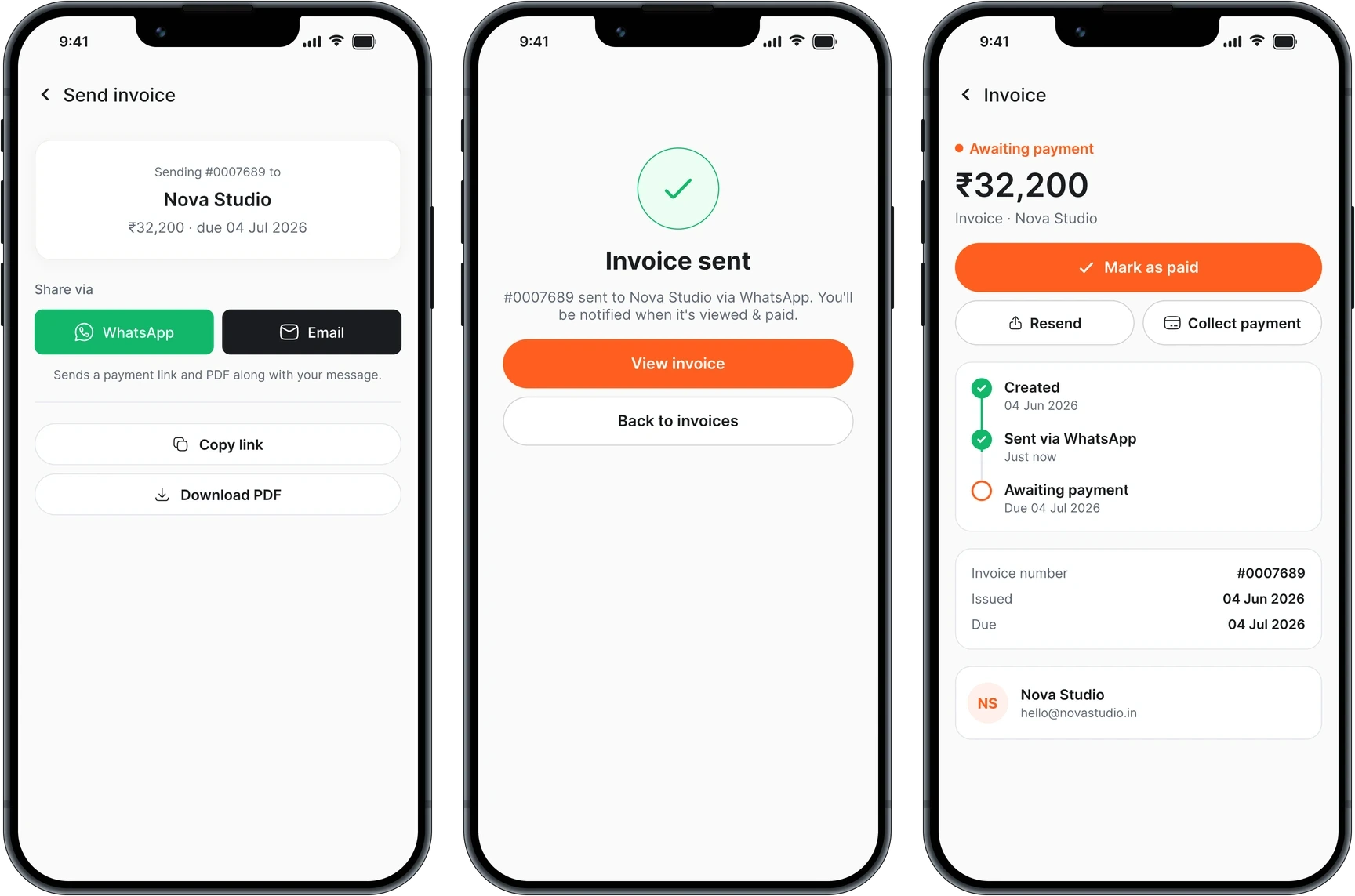
The status carries on after sending, because an invoice isn't finished until it's paid.
Reflection — What I learned
Design for someone who is already managing plenty.
Invoicing sits on top of the actual work. Done well, the design notices what repeats and takes it on, so the tool asks for less each time. Clients, services and past prices are all things it can already see.
Tax law was a harder constraint than screen size.
The taxes section took the most reading, and I learned the rules while designing it. It's still the part I'm least sure of.