Whering · Self-directed
Redesigning capture to unblock Whering's growth loop
Whering is a digital wardrobe app: you photograph the clothes you own, and it plans outfits, tracks cost per wear, and lists things for resale.
Overview — Redesigning capture in a digital wardrobe app
You fill it by photographing your clothes, one at a time. It takes an afternoon.
Photographing is how capture works today, and everything else in the app is built on what it produces.
Problem — The app stores a photo, not the product
Capture gives the app a picture. It doesn't give it the brand, the price, or the shop.
Cost per wear, resale and styling all work from guesses. Virtual try-on is next, and it can't guess. To show an item on you, it needs the real product.
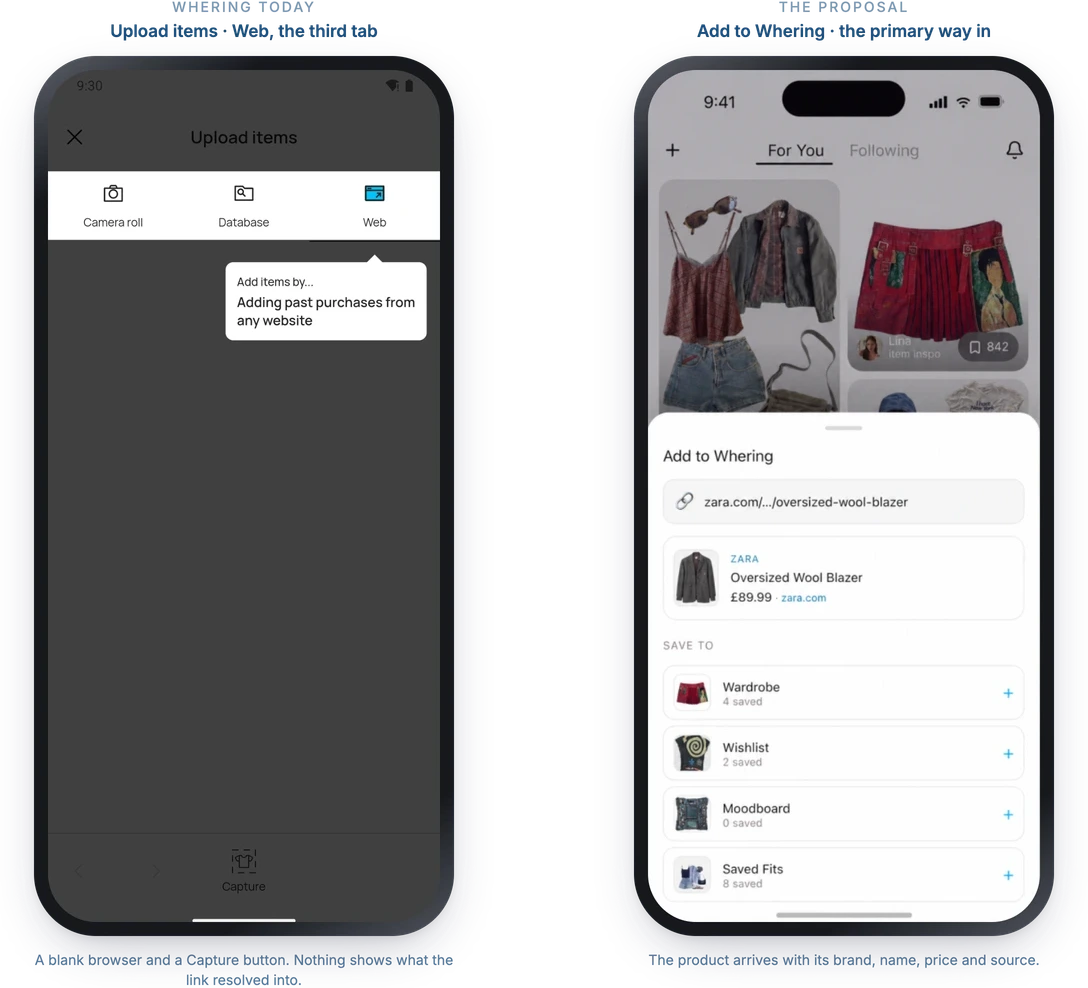
What the app holds after a photo, and what it would hold after a link.
Solution — Saving the product link instead
Most clothes are bought online, and the price, the brand and the shop all sit on the product page. So the proposal is to capture the link instead of the photo.
Try-on
The app could show a new item on you next to clothes you already own. A retailer can't, because it doesn't know your wardrobe.
Sharing
An outfit made of real products is one anyone who sees it could save from.
Metrics
A try-on is a step towards a purchase, and real prices would make cost per wear and resale accurate.
That's the loop. Someone sees an outfit, saves an item from it, tries it on, and posts the result for the next person.
The community, the circular mission and the photo habit all stay. Only capture would change.
The redesign running: a product saved from a shop, tried on against the wardrobe, and posted as an outfit.
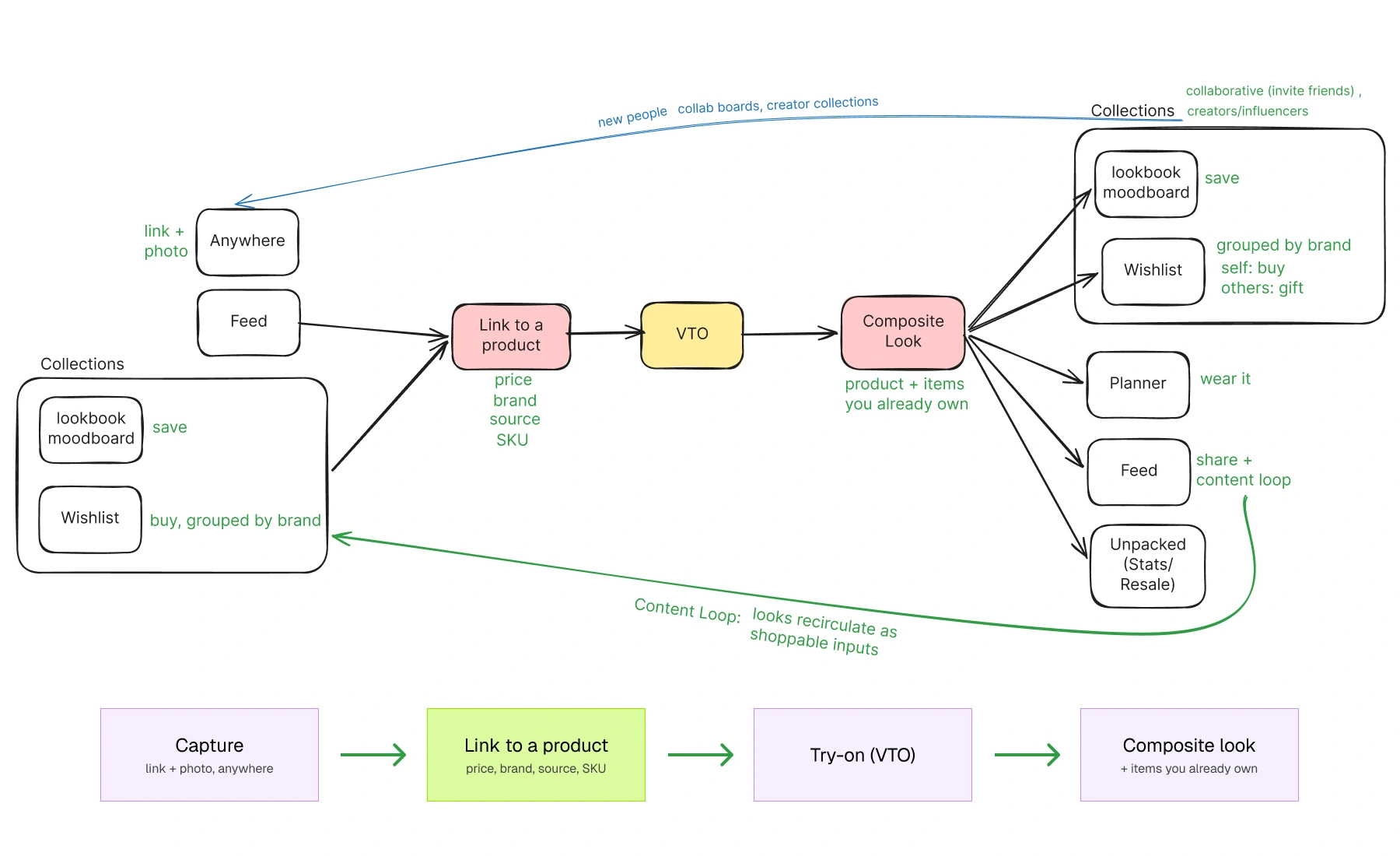
How one captured item moves through the app: in from a shop, onto you in try-on, into an outfit, then out to the feed.
Research — Auditing the current app
Whering already handles links, in a wishlist. Going through the app screen by screen, I found four places to save something, and only one of them says anywhere what it's for. You can create a wishlist from the plus menu and then never find it again.
Building an outfit has five entry points across four screens, called six different names.
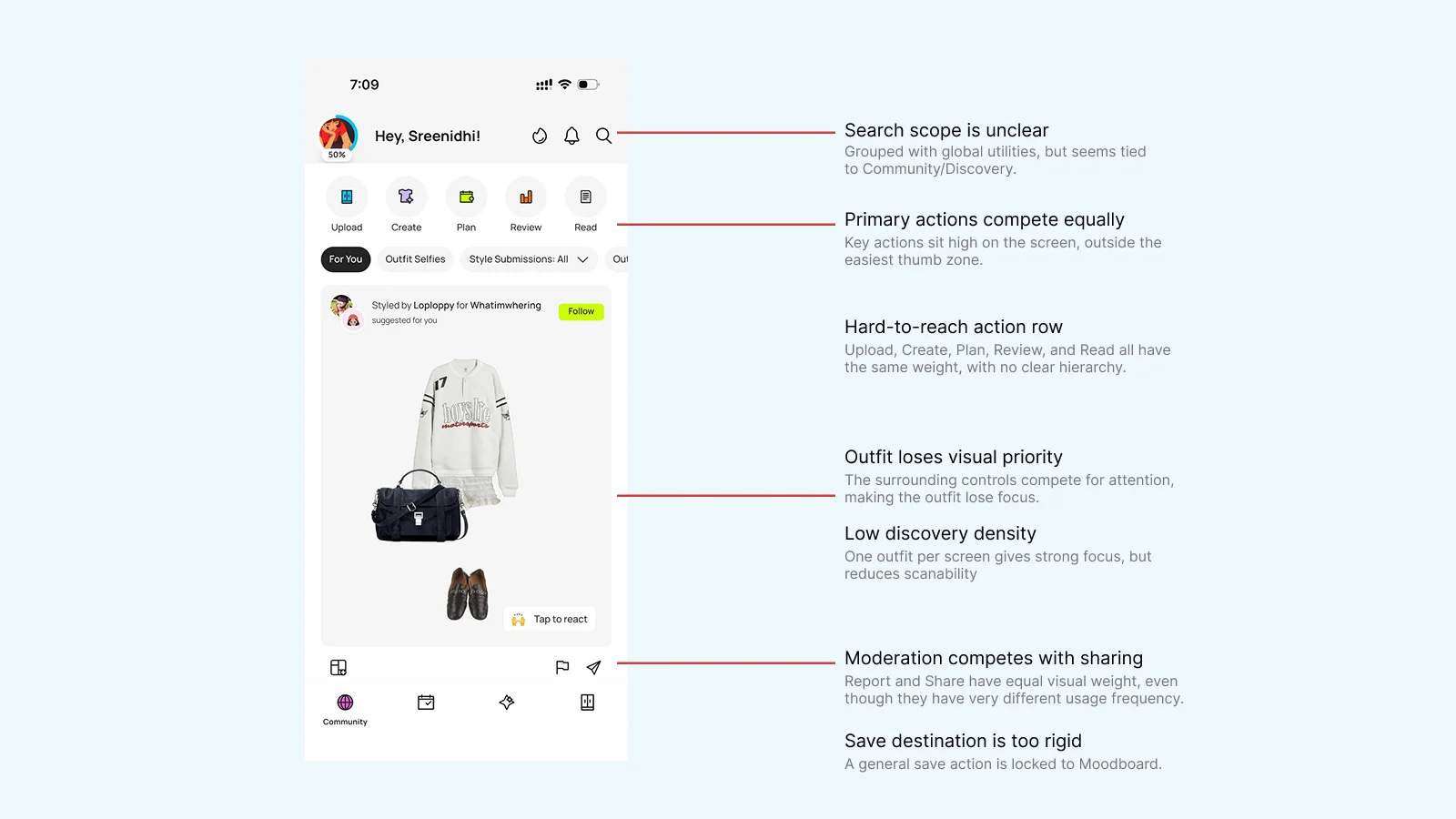
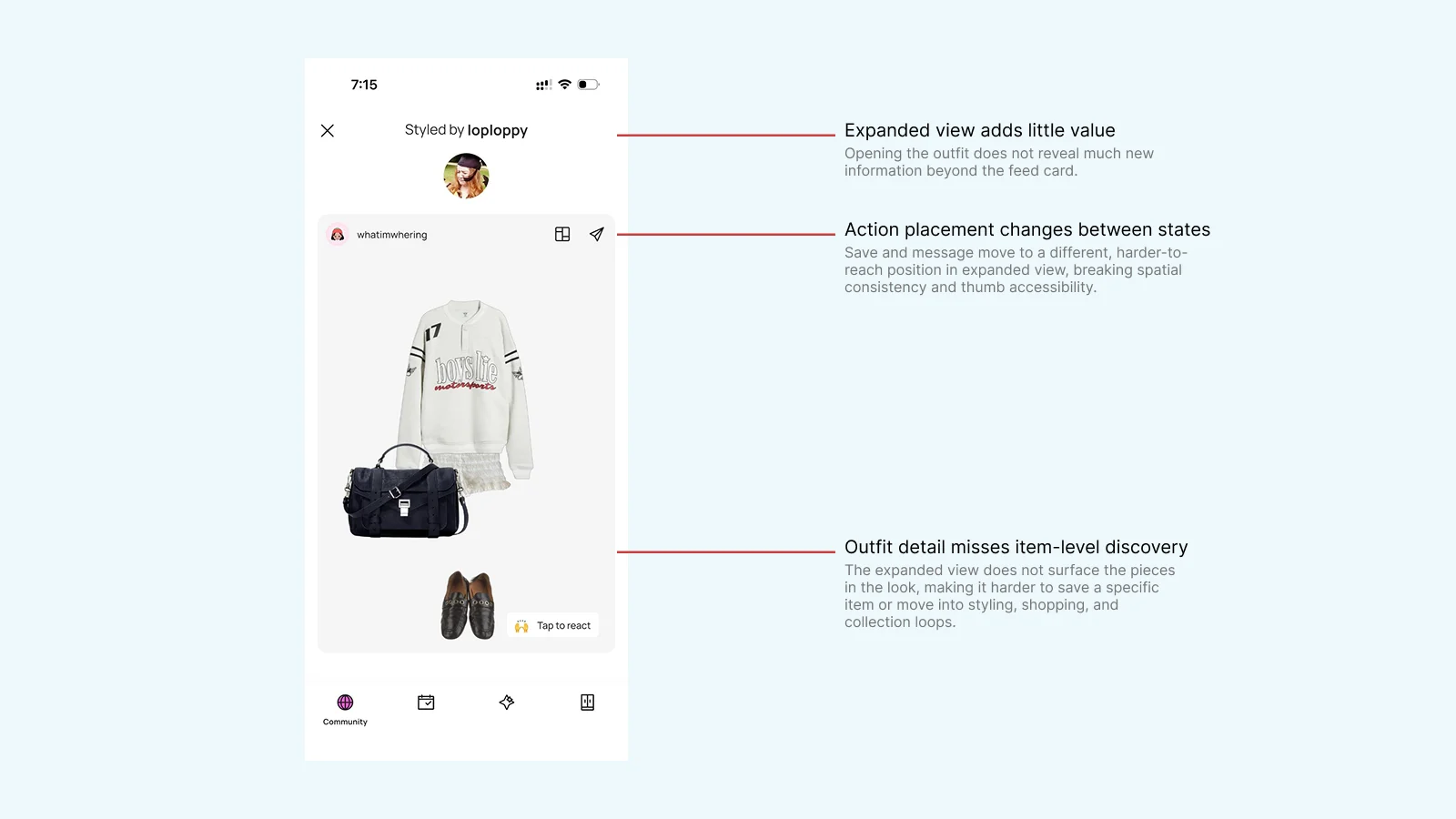
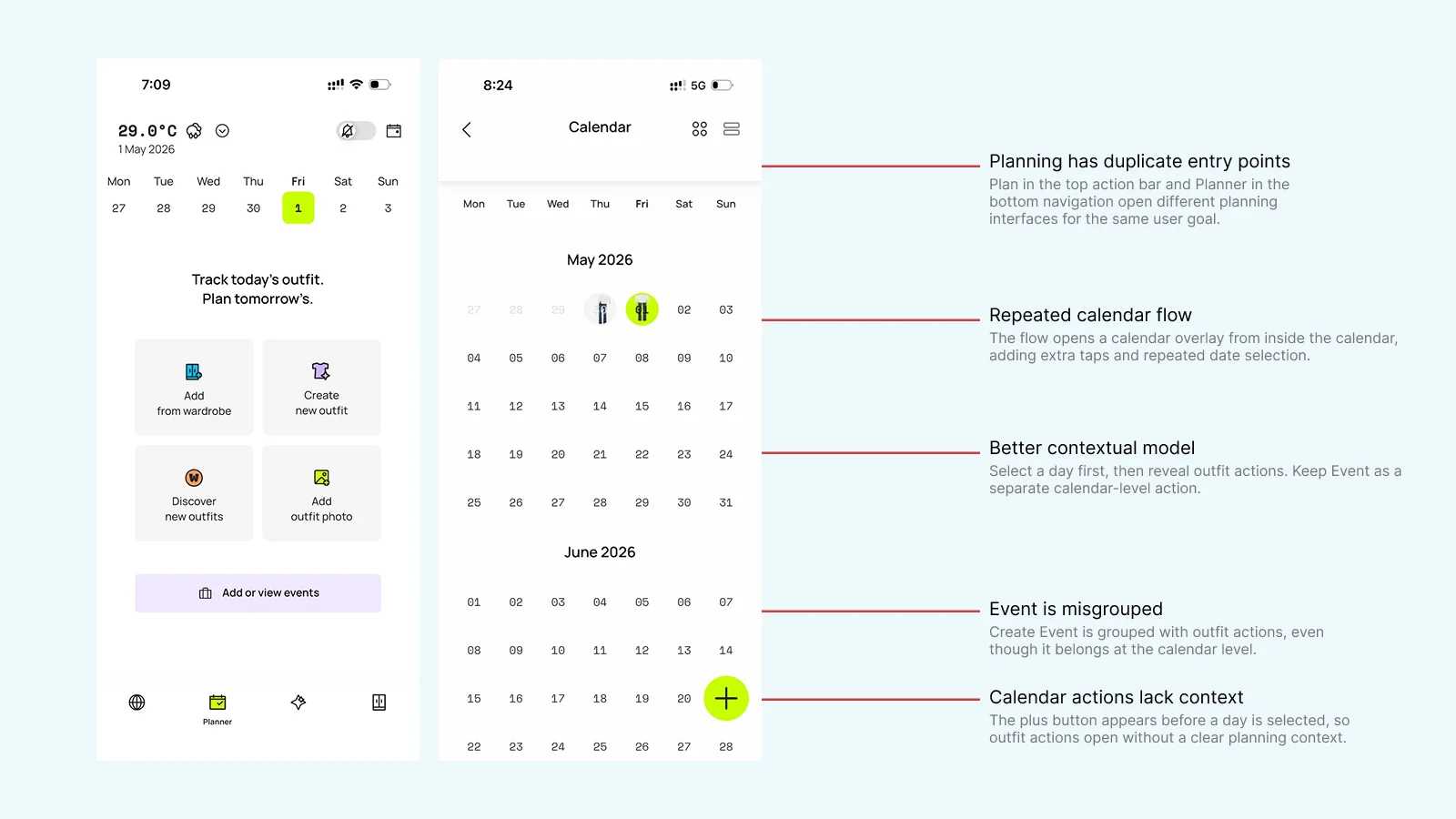
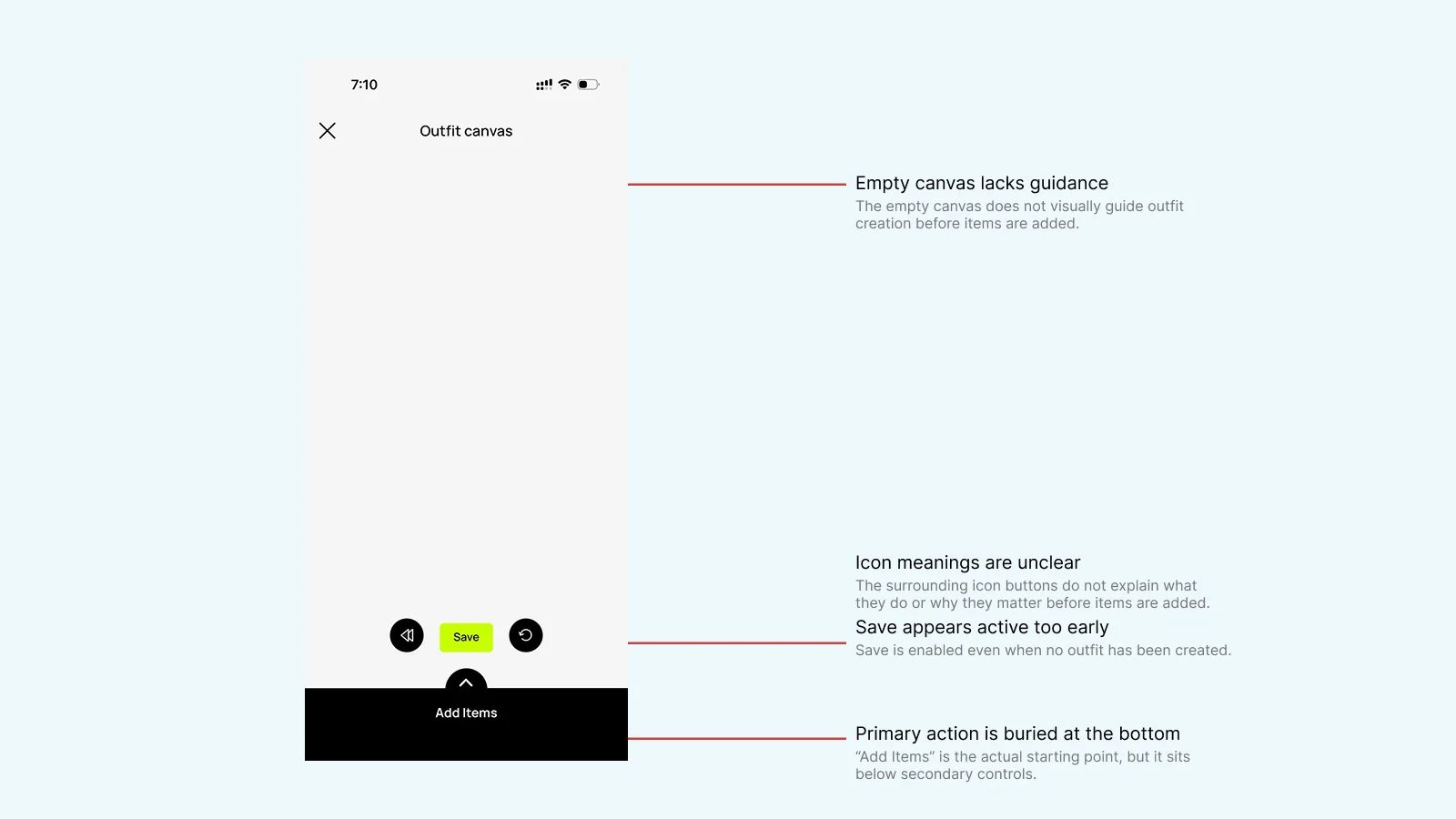
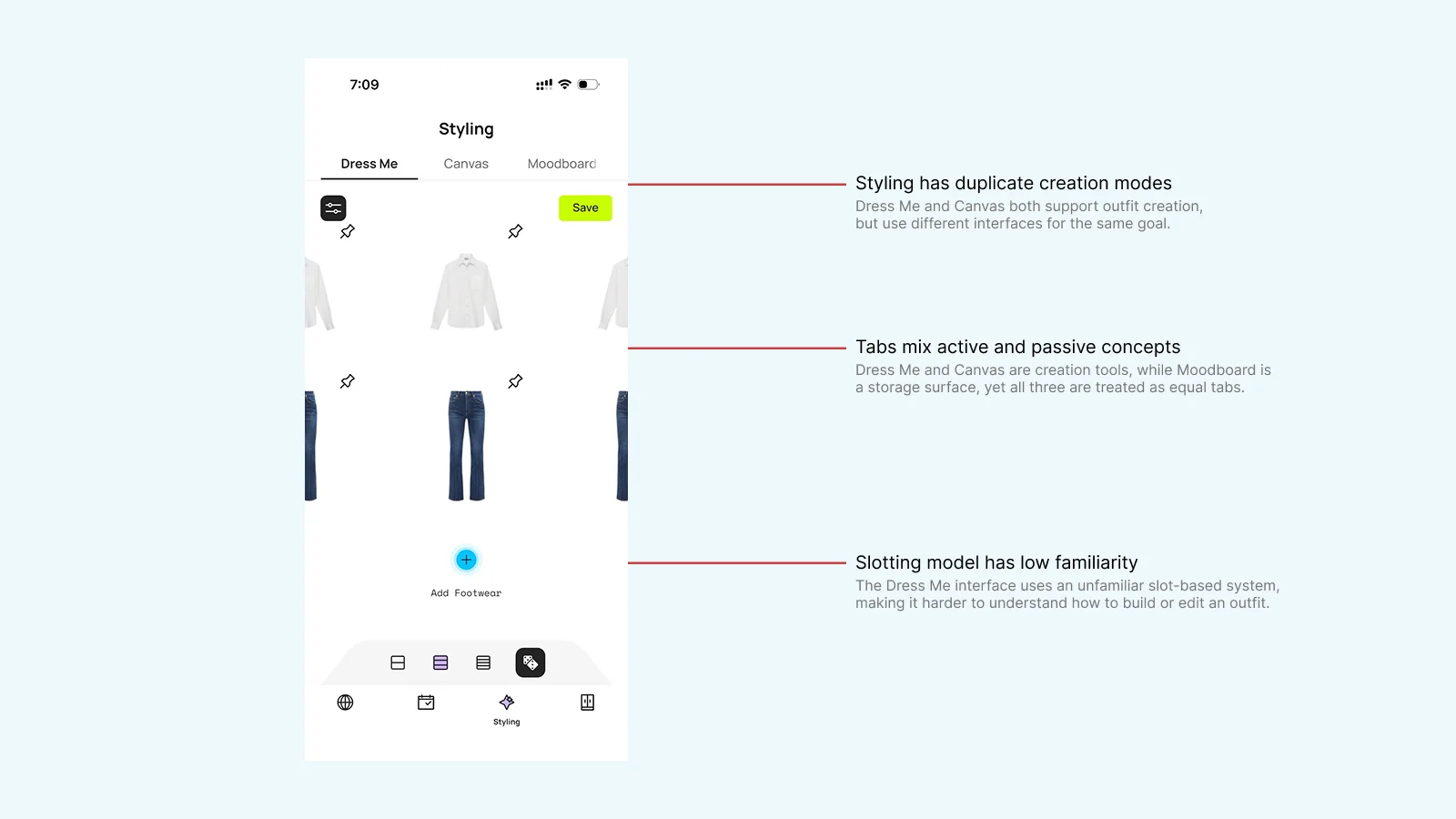
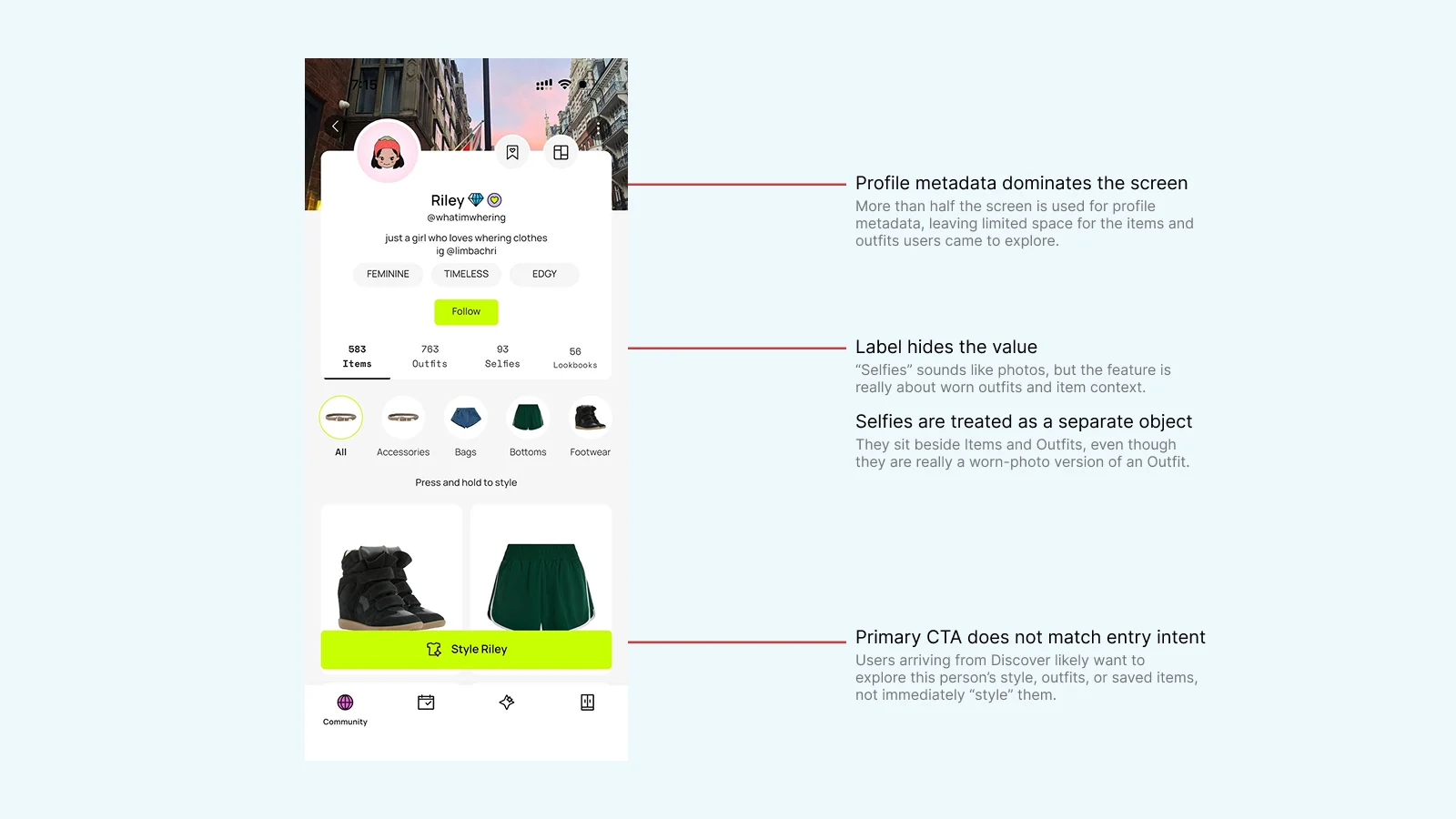
Six screens, marked wherever the same action appears twice.
References — Three apps that already solve part of this
A masonry feed puts more looks on screen at once.
Dress-up games
Categories sit above the clothes in them, so picking is quick.
Cosmos
Everything you save lives on one screen and splits by tag.
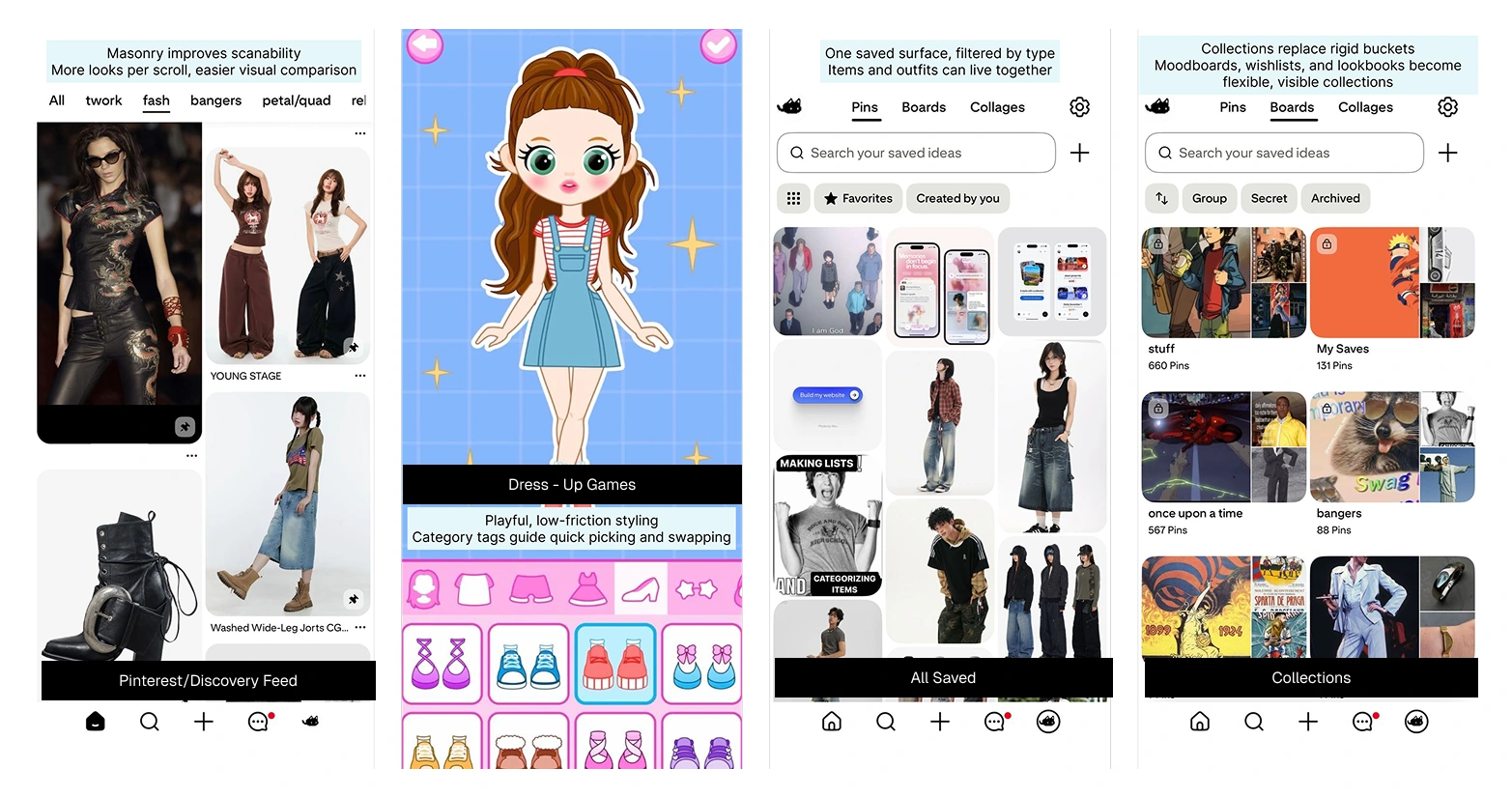
The pattern each one is being borrowed for.
Core Flows — Building an outfit, and planning what to wear
I walked the app and recorded every route, then drew both journeys from what I found rather than from memory.
Building an outfit
Five entry points across four screens, under six different names.
Planning a day
Three entry points, and six paths to a single date.
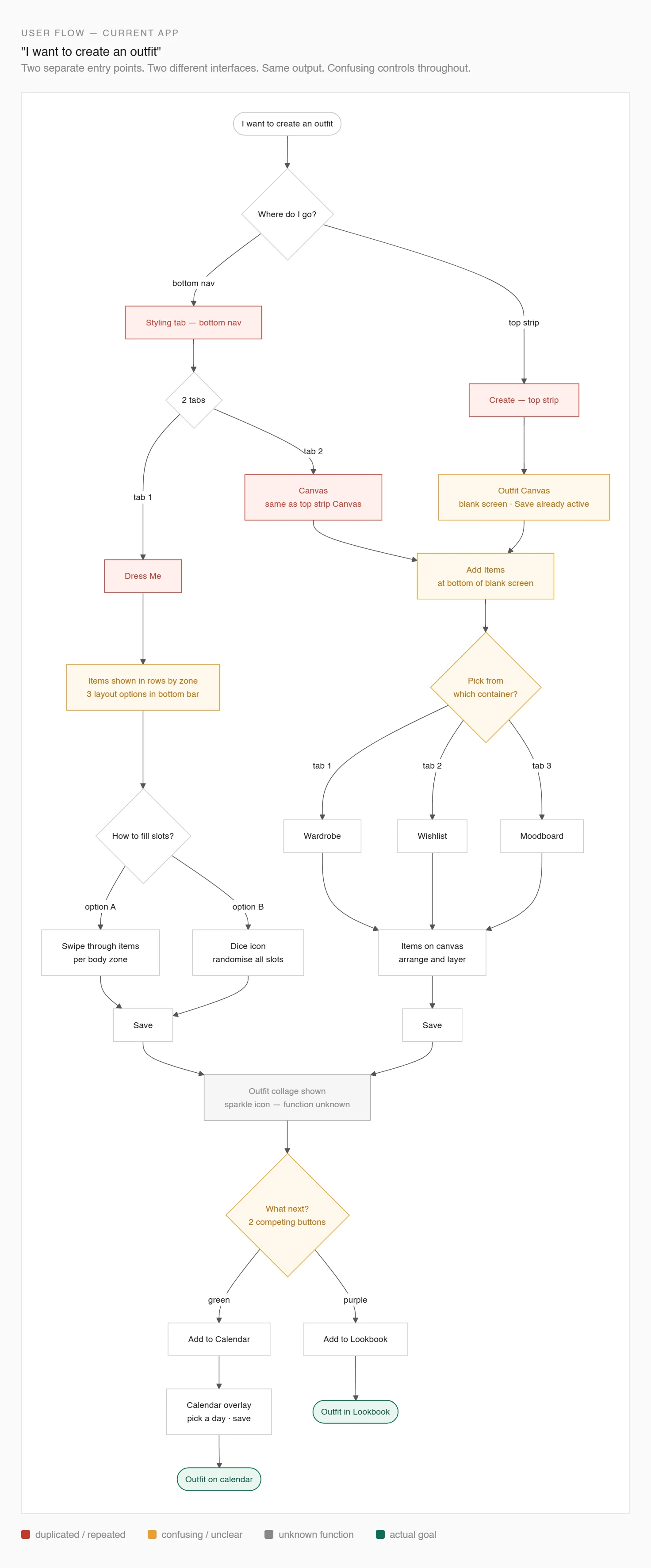
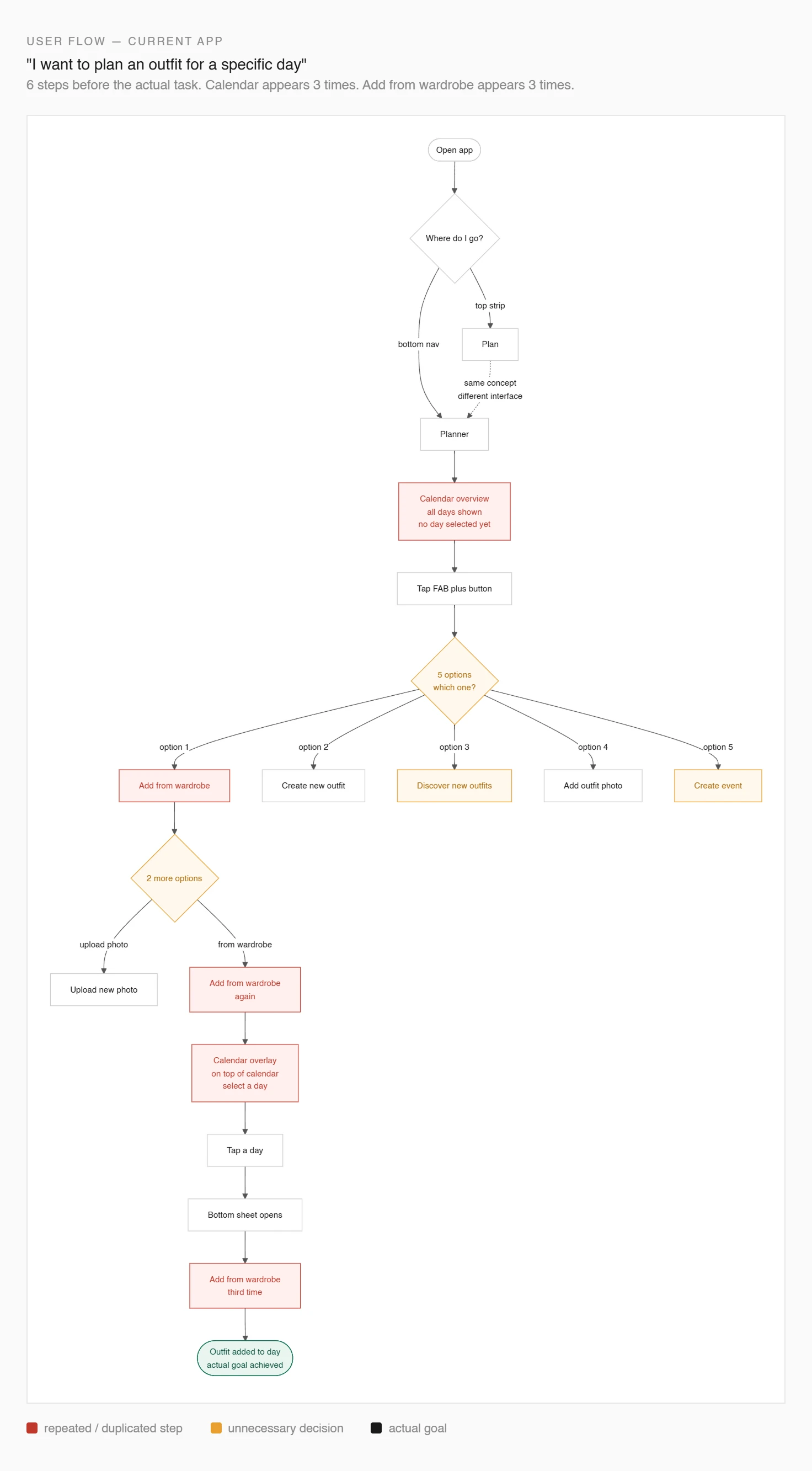
Both journeys, with the routes that end at a sign-in wall marked.
Designing Capture — Three ways to save a product
Capture has to work wherever someone finds a product, so I designed three ways in: inside a shopping app, out on the web, or as a link someone sent them.
Share sheet
Tap Share in a retailer's app and pick Whering.
Browser layer
Save the page you're on, the way mymind does.
Paste a link
Drop a URL into a bottom sheet, the way Doji does.
Plenty of apps save links. Whering knows your wardrobe too, so it can show a new item next to what you own before you buy.
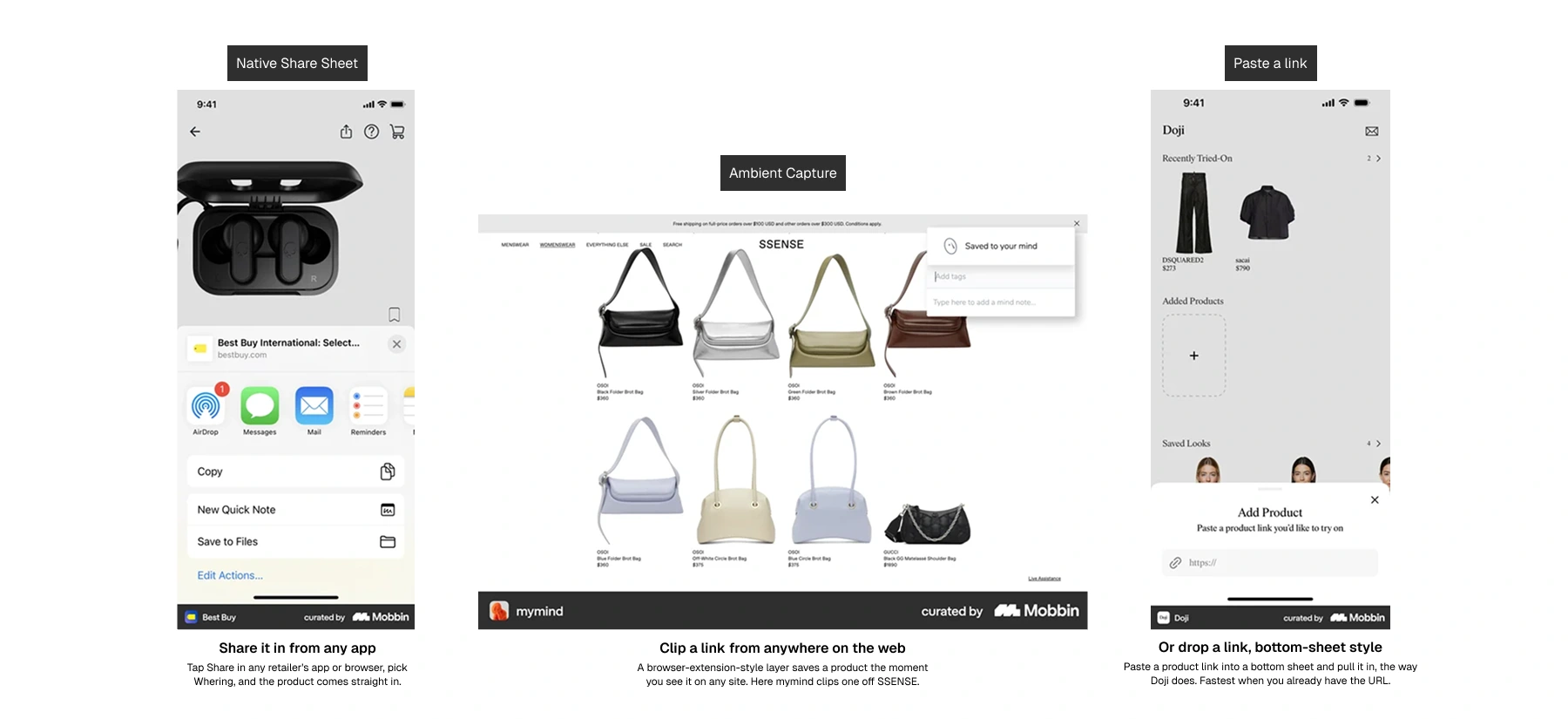
Each of the three already ships somewhere.
Restructuring the Object Model — Nine surfaces into three
Most of the duplication came from things never having been named. Working the way object-oriented UX suggests, I settled what the objects were before touching any screen.
A wishlist genuinely differs from a wardrobe: it holds things you don't own yet. That difference is worth keeping. Giving every difference its own tab is what isn't.
Collections
Wardrobe, wishlist, moodboard and lookbook all hold saved things. What separates them is intent, so intent becomes a property of a collection rather than a place in the nav.
Style
Canvas and Dress Me both build outfits.
Outfit
Made, found and photographed outfits become one object, with the source kept as a label.
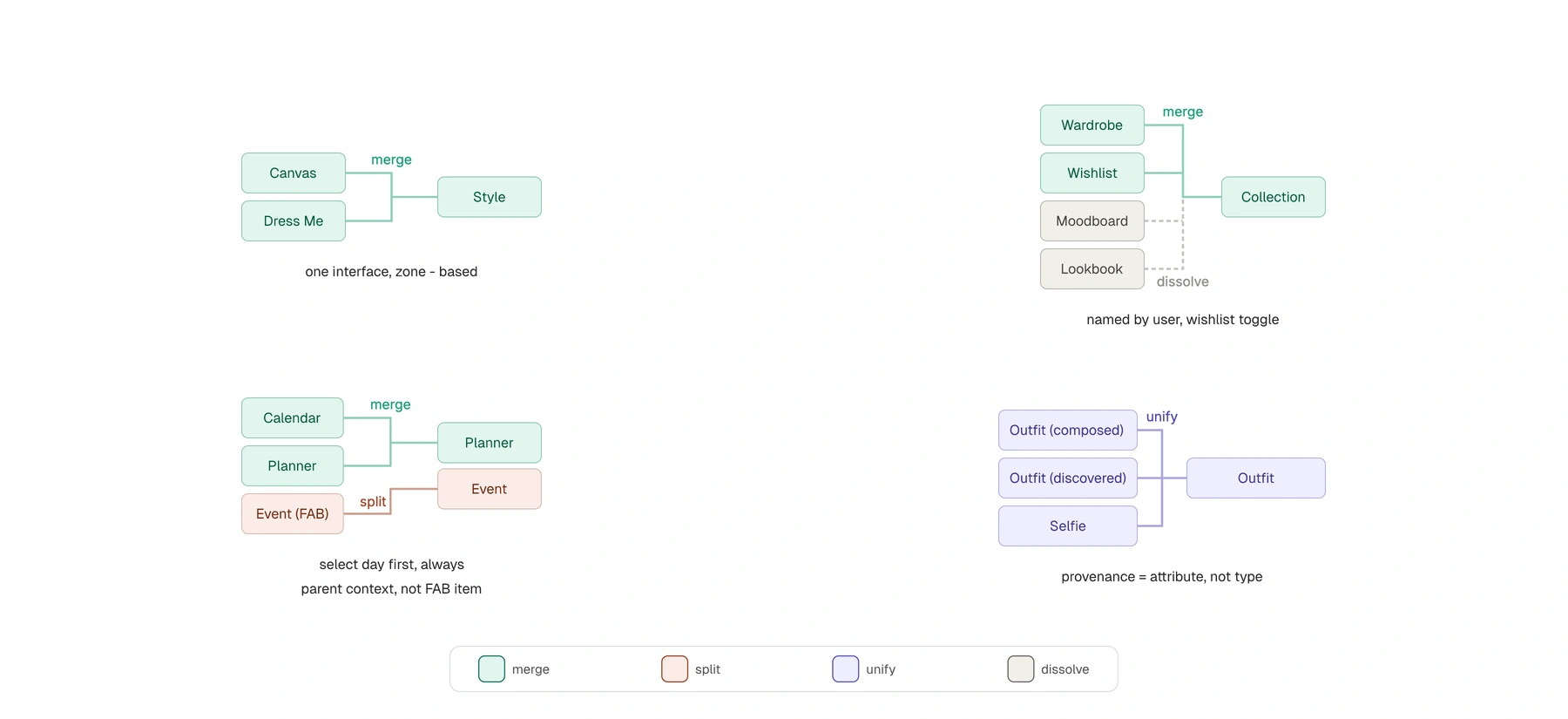
Nine surfaces become three objects, each with one set of actions.
Prototyping — Walking through the redesign screen by screen
I built it as a prototype you can move through. Every screen has a note explaining the decision, and you can turn them all on or read them one at a time.
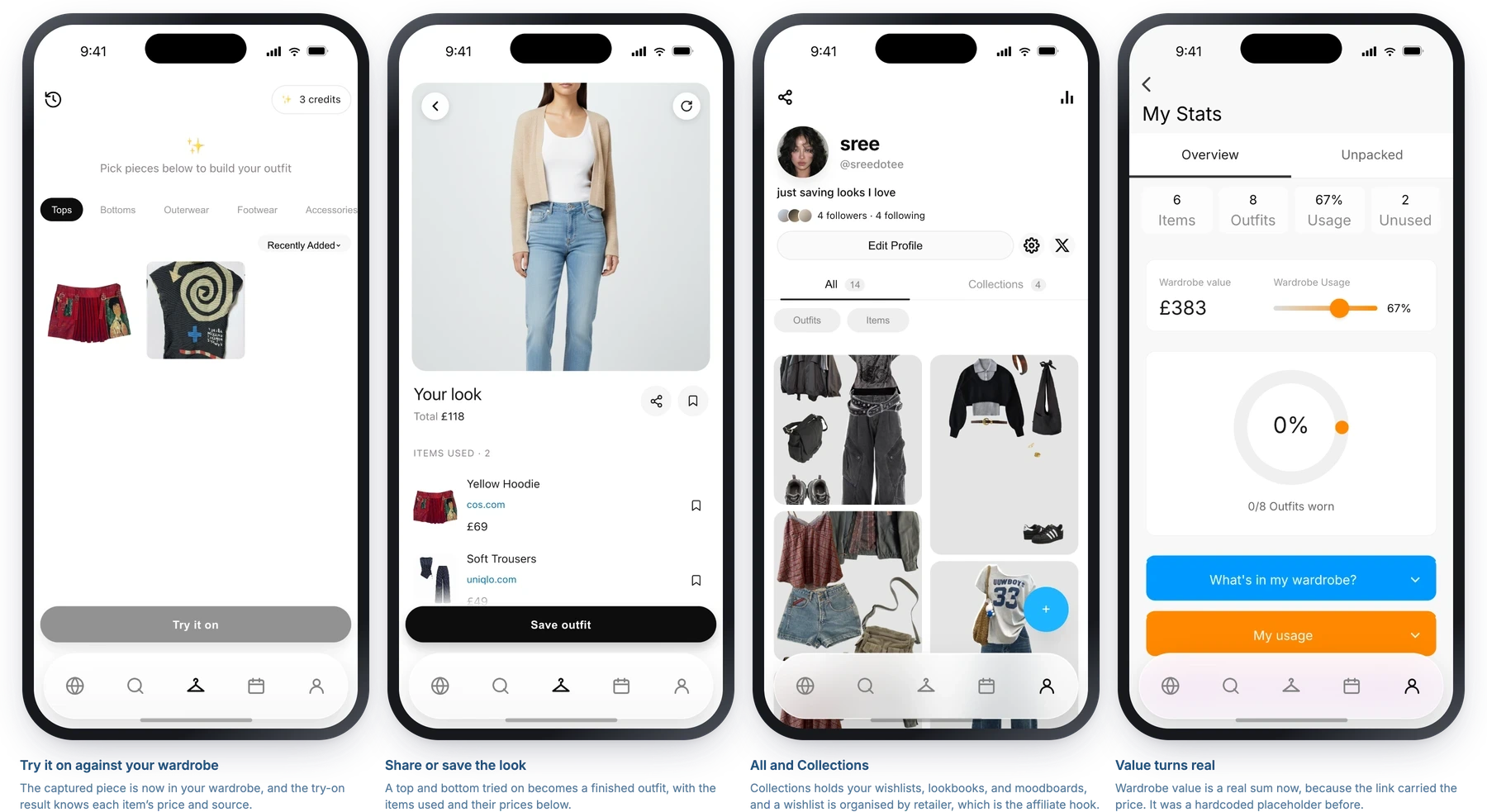
Four screens from the prototype, each with the note that explains it.
Reflection — What I learned
Duplicate features are usually a naming problem.
Four ways to save an item existed because nobody had decided what a saved thing was called. The work was choosing the words. The design followed from that.
Changing one input changes more than you planned.
I set out to redesign capture. Moving links to the front made the wishlist redundant, and that pulled three other containers in with it. The object model wasn't in scope when I started.